

How versioning works
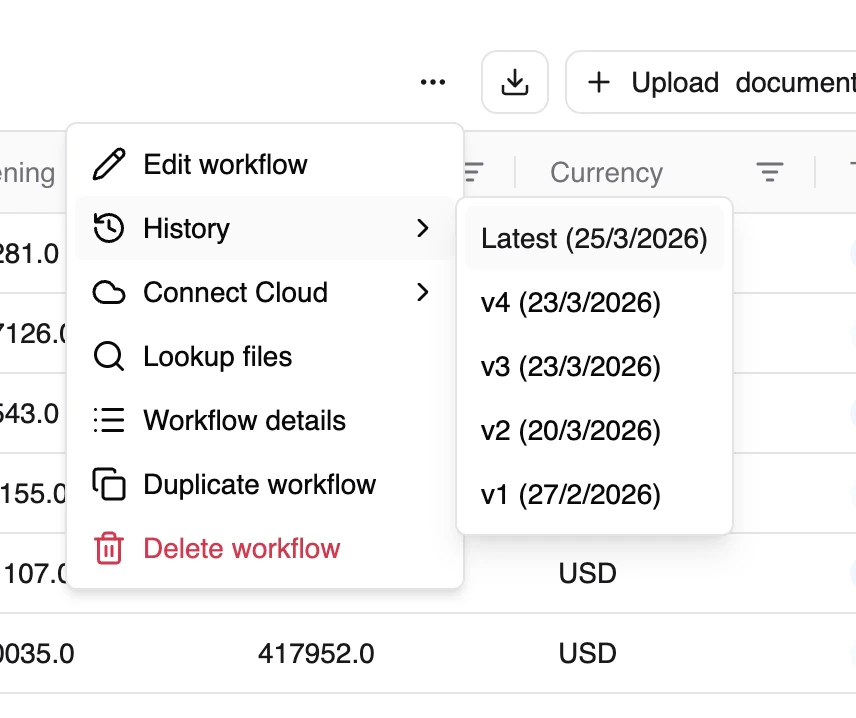
Every edit to a workflow creates a new version. This means:- anyformat keeps your previous configurations
- You see the history of changes
- Each version captures the complete workflow state
What creates a new version?
- Adding, removing, or modifying fields
- Changing the schema
- Updating workflow configuration
Version history
Versions form a chain. It lets you:- Track how your workflow evolved
- Understand what changed between versions
- Maintain a complete audit trail
Why this matters
Versioning is your safety net. Say you edit an invoice workflow so the “total” field excludes VAT, and the next batch of results looks wrong. anyformat saved the previous version. Look back at the history and return to the version that worked, instead of rebuilding it from memory.Editing a workflow affects future runs only. A document you already processed keeps the results from the version it ran on. Changing the workflow never rewrites past data.
What’s next?
Creating Workflows
The full workflow creation process
Analytics & Quality
Monitor and improve quality