

All field types at a glance
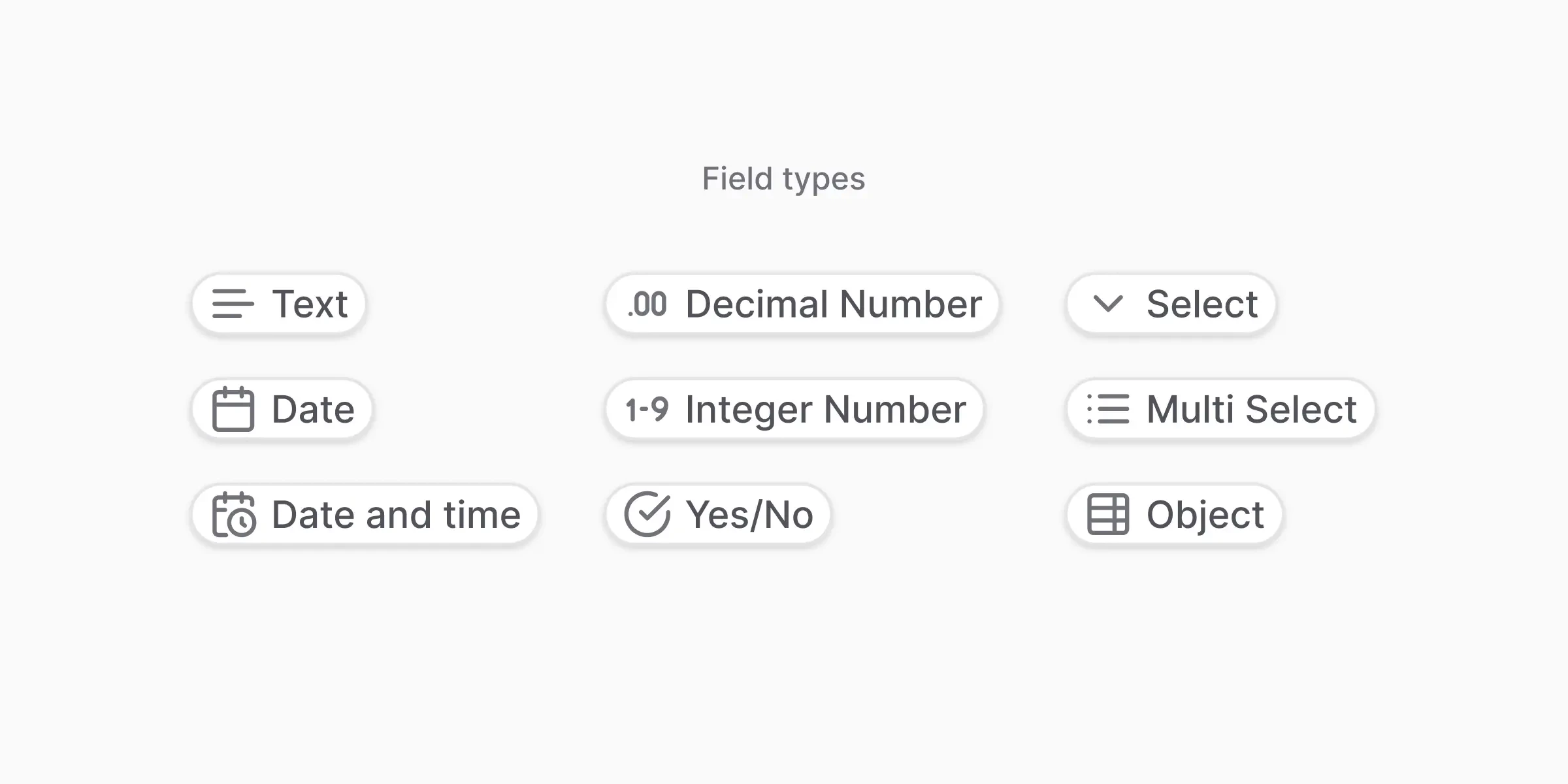
There is no separate
list data_type. Use Multiselect (multi_select) for a list of values from a fixed set of options, and Object (object) for a list of structured rows, a subtable. For a free-form list of strings or numbers, model it as an Object with a single nested field.Not sure which to pick?
A quick guide:- Is it a number with decimals, like a price or percentage? → Decimal number (
float) - Is it a whole number, like a count or quantity? → Integer number (
integer) - Is it a date without a time? → Date
- Is it a yes/no answer? → Yes / No (
boolean) - Does it have to be one value from a fixed list of options? → Select (
enum) - Could it be several values from that list? → Multiselect (
multi_select) - Is it a repeating table, like invoice line items? → Object (Subtable) (
object) - Anything else (names, IDs, addresses, free text)? → Text (
string)
Field definition
Every field requires at least:name: a unique identifier in snake_case.description: a clear explanation of what to extract. The AI uses it as guidance.data_type: one of the types listed above.
object, enum, and multi_select take extra properties, documented below.
Simple types
Text (string)
Text (string)
Best for: values that vary widely, such as company names and addresses.Watch out for: values from a known list. Use Select instead.
Date
Date
Best for: calendar dates when time does not matter. Returned as
YYYY-MM-DD.Watch out for: a time in the document. Prefer Date & time.Date & time (datetime)
Date & time (datetime)
Best for: precise timestamps when a document carries a time, not just a date. Returned as
2024-03-15T10:30:00Z.Watch out for: ambiguous timezones and date formats. Add an instruction when the document’s format is unusual.Decimal number (float)
Decimal number (float)
Best for: money, percentages, measurements.Watch out for: values that should be whole numbers.
Integer number
Integer number
Best for: counts, quantities, item numbers.Watch out for: currency. Use a decimal number.
Yes / No (boolean)
Yes / No (boolean)
Best for: clear true/false questions, such as “Is it paid?” or “Is it signed?”.Watch out for: vague cues like “maybe” or “often”. Make the instruction explicit.
Select (enum)
Use enum when the extracted value must be one of a predefined set of options. The field requires an enum_options array.
null.
Why use Select:
- Enforces consistency
- Avoids spelling variations
- Makes analytics and filtering reliable
- Keep options short and unambiguous
- Provide clear descriptions for each option
- Avoid overlapping meanings
- Prefer Select over Text when values repeat
Multiselect (multi_select)
Same shape as enum. The field returns multiple matched options as an array.
Select vs. Multiselect
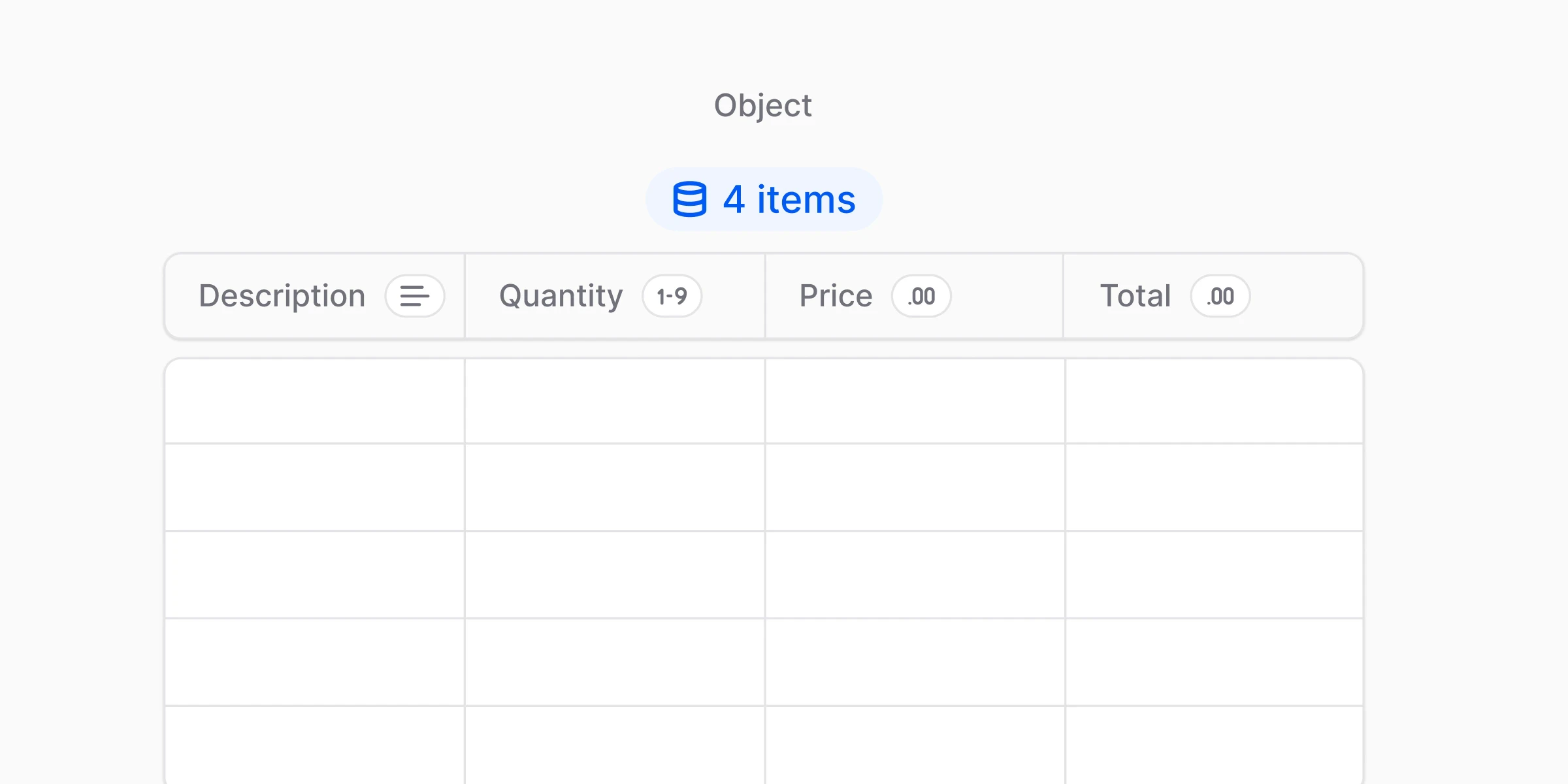
Object / Subtable (object)
Use object to extract a structured group of properties. Object fields require a nested_fields array.
anyformat supports one level of nesting only. The children of an object field must be non-object types: string, integer, float, date, datetime, boolean, enum, multi_select. An object field cannot contain another object field.
Single nested object
Repeating rows (Subtable)
Object fields also capture repeating tabular data: invoice line items, transaction rows, any list of things with the same structure.- You see the same set of fields repeating
- The document contains a list or table where each row is one item
- You need a structured value per row, not a blob of text
- Keep subtable fields minimal at first: 3 to 5 columns
- Use clear row-level instructions: “Extract one row per item. Ignore headers and totals.”
- Add shared fields like
currencyat the top level, not inside each row - Start with the most reliable columns, description and amount, then expand
Complete example
A workflow definition that uses several field types together:Tips for better results
- Be specific in descriptions. “The invoice number, usually starting with INV-” beats “Invoice number”.
- Use appropriate types.
floatfor amounts anddatefor dates, neverstring. - Keep field names consistent. snake_case throughout.
- Describe location only when it helps. “Total amount shown at the bottom right” can disambiguate. The AI usually does not need it.
What’s next?
Fields
The three properties every field has
Instructions
Write better extraction instructions