

- The original document
- Raw OCR text
- A screenshot of the page
Output formats
anyformat holds one set of extracted data and presents it in different representations. Pick the one that suits what you do next.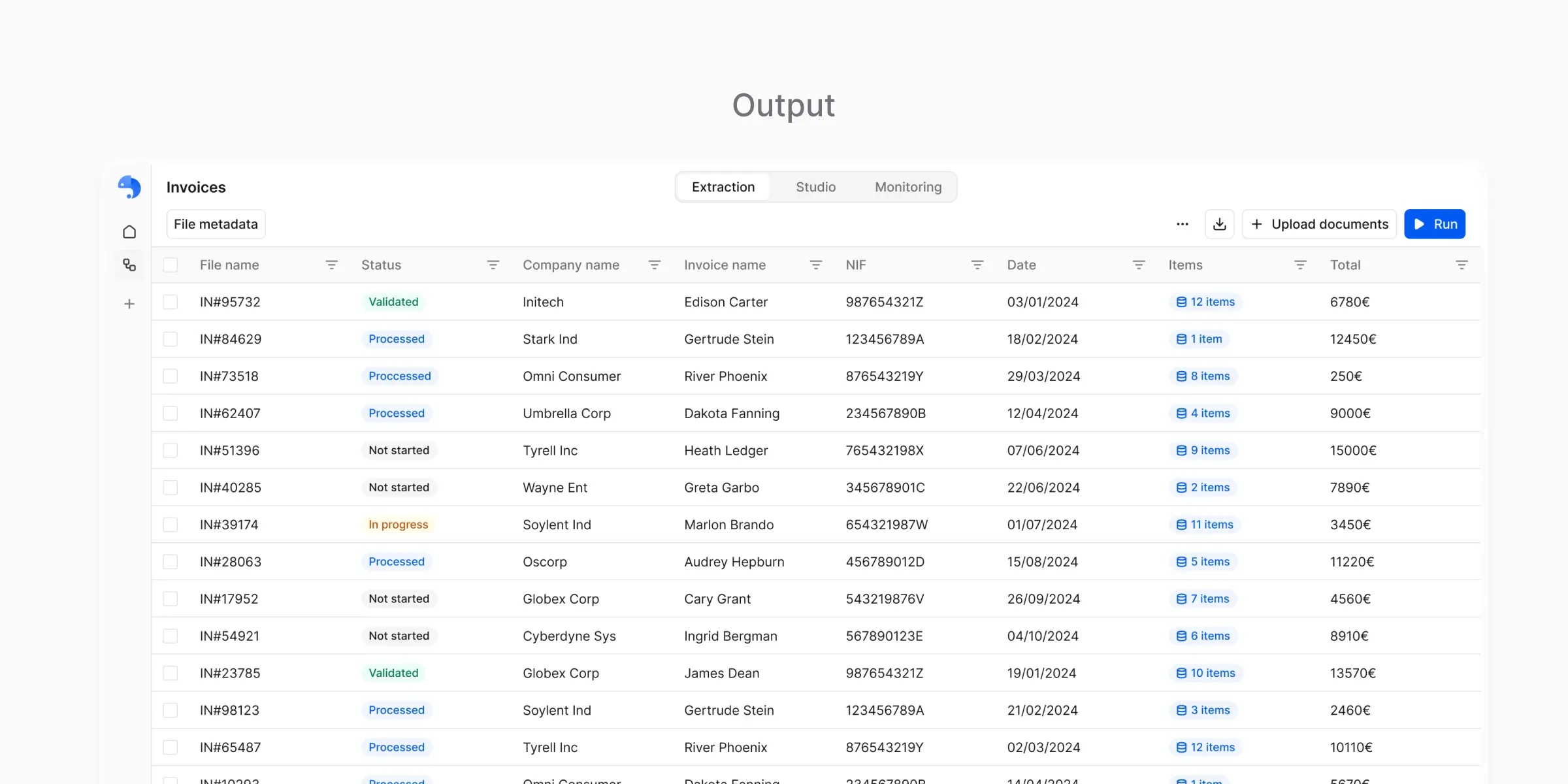
CSV
Structured tabular data:- Each document becomes one row or more
- Each field becomes a column
- anyformat expands subtables the same way every time
CSV is designed for
- Spreadsheets
- Imports
- Data analysis
- Sharing with non-technical users

Excel
The same structured data as CSV, in a format that:- Opens more easily for business users
- Preserves table structure
- Supports several sheets, one per subtable or for metadata
Excel is useful when
- Manual review is part of the process
- Data is shared across teams
- You want minimal friction for non-technical stakeholders
JSON
Structured data for systems and automation:- Fields become keys
- Nested structures survive
- Data types stay explicit
JSON is useful when
- Integrating with other systems
- Building automation
- Preserving hierarchical data such as subtables

Markdown
A human-readable representation of the result, used to:- Inspect what was extracted
- Verify that parsing worked correctly
- Review results per document

Choosing the right format
You do not decide upfront. Most users read more than one representation at different stages.CSV / Excel
CSV / Excel
Choose when you:
- Analyze data in spreadsheets
- Share with business users or stakeholders
- Import into a tool that accepts tabular data
- Review and verify by hand
- Use CSV for maximum compatibility and automation
- Use Excel for non-technical users who prefer spreadsheets
JSON
JSON
Choose when you:
- Build an integration with another system
- Automate a data pipeline
- Need nested structures such as line items to survive
- Work with APIs or developer tools
Markdown
Markdown
Choose when you:
- Review one result
- Debug an issue
- Verify that parsing worked
Using outputs outside the platform
Once you trust your results, take them out three ways:- Download one by hand
- Export in bulk
- Read them through the API
Export options
Manual download
Download individual results directly from the platform in your preferred format.
Bulk export
Export multiple documents at once for batch processing or archival.
API access
Retrieve outputs programmatically for automation and integrations.
Common integration patterns
- Data pipelines: pull JSON outputs into your data warehouse
- Business tools: export Excel or CSV into accounting or ERP systems
- Custom applications: use the API to embed processing in your own product
What’s next?
Schemas
Control what data appears in outputs
Workflows
Produce outputs reliably at scale