

The node
branch to a category id, not its name:
branch accepts the category object or its id string. Once a workflow has a Classify node, every extract() call needs a branch.
The same node with extra instructions for the classifier:
In Studio
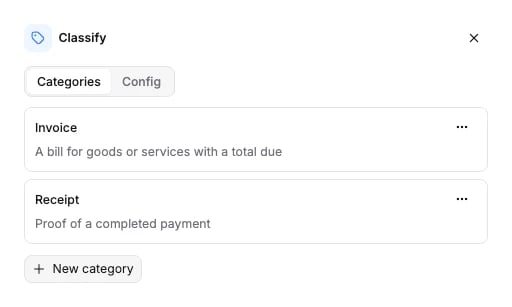
Click the Classify node on the canvas to open its panel. Add a category with its Type (the name) and Description. The Describe classification process box is theuser_prompt. Each category appears as a port on the node; drag from a port to the node that handles that category.
Options
categories is required. user_prompt is optional.
The schema the API accepts is generated from the same source: Classify node schema.
Connects to
Each category id appears on one edge at most. Several categories may point at the same Extract node. A workflow has one Classify node at most in the SDK builders.
To split a file after classifying it, connect one category to a Split node. In the SDKs,
split(..., route_from=<category>) names that category.
What it returns
Classify fills theclassifications section of the run results, one verdict per Classify node that ran. The verdict names the category and says how sure the classifier was.
category is the category name, not its id. confidence is on a 0 to 100 scale, and null when no score was measured. evidence is one free-form string the classifier wrote, not a list of snippets; it is null when none was captured.
The Extract node on the chosen branch fills extractions[] as usual: one entry, with split_name and partition set to null, because Classify routes the whole document and does not split it. See Extract for that shape, and Runs & results for the whole envelope.
Billing
Billed at 10 credits per page. Full price list: How credits work.Examples
- Receipt scanning: invoices and receipts in one inbox, one Extract per kind.
- Email lead extraction: sort incoming mail before extracting.
- Bank statement processing: Classify feeding a Split node.