
Workflow versions
anyformat automatically tracks changes to your workflows through versioning.How versioning works
Every time you edit a workflow, a new version is created automatically. This means:- Your previous configurations are preserved
- You can see the history of changes
- Each version captures the complete workflow state
What creates a new version?
- Adding, removing, or modifying fields
- Changing the schema
- Updating workflow configuration
Version history
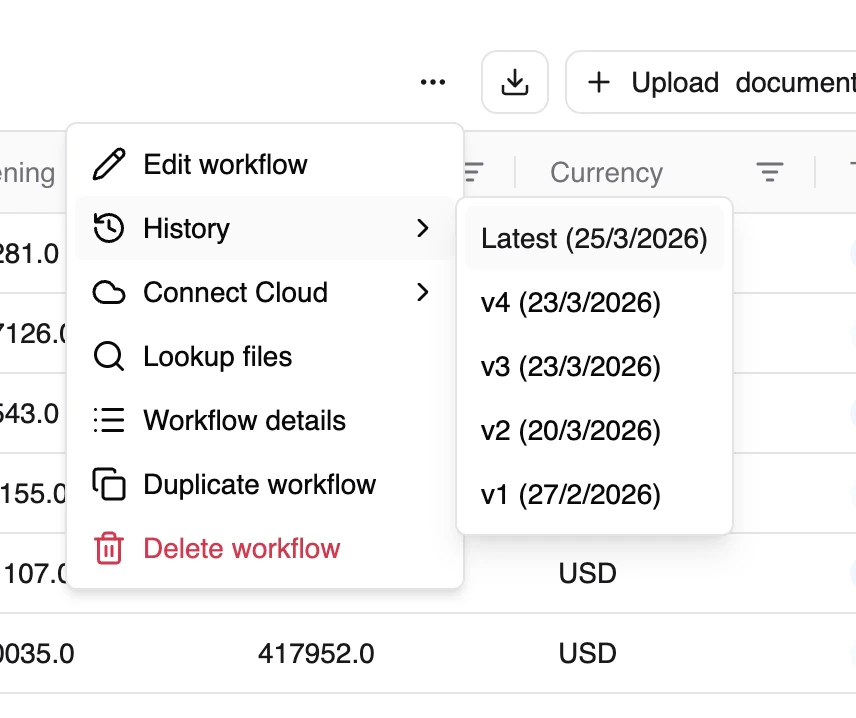
Versions form a chain, allowing you to:- Track how your workflow evolved
- Understand what changed between versions
- Maintain a complete audit trail
Why this matters
Versioning is your safety net. For example: say you edit an invoice workflow so the “total” field excludes VAT — and the next batch of results suddenly looks wrong. Because the previous version was saved automatically, you can look back at the history and return to the version that was working, instead of trying to rebuild it from memory.Editing a workflow only affects future runs. Documents you’ve already processed keep the results from the version they were run on — changing the workflow doesn’t silently rewrite past data.
Document templates
Document templates are pre-configured starting points for common document types. They represent:- A known document category
- A partially defined schema
Available templates
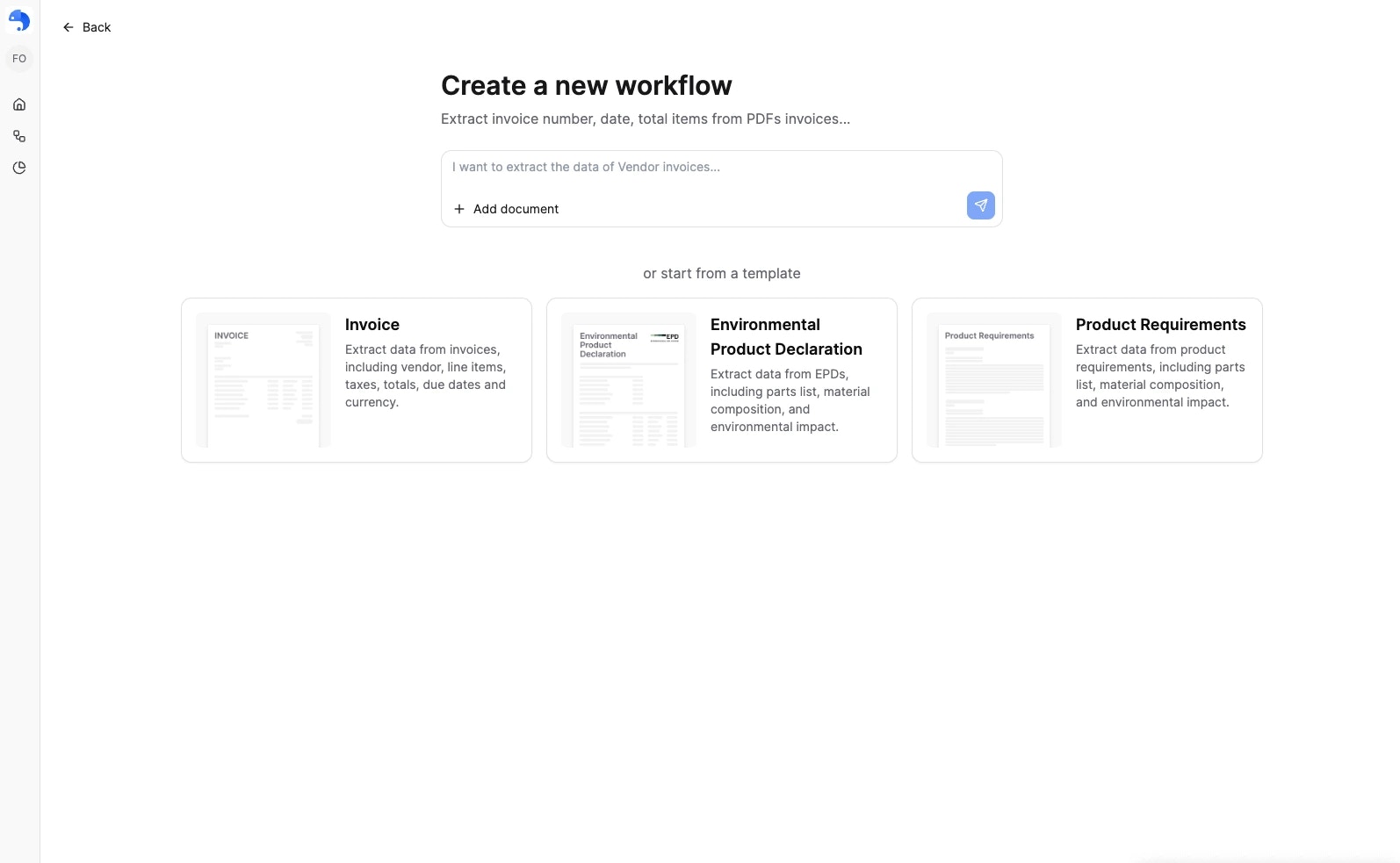
When you create a workflow, you can start from one of these ready-made templates:| Template | What it extracts |
|---|---|
| Invoice | Vendor, line items, taxes, totals, due dates, and currency |
| Environmental Product Declaration | Parts list, material composition, and environmental impact |
| Product Requirements | Parts list, material composition, and specifications |
| Modelo 200 (Impuesto sobre Sociedades) | Data from the Spanish corporate income tax return |
How templates work
When you use a template:- A new workflow is created with pre-defined fields
- You can modify the schema as needed
- The workflow follows the same lifecycle (Define → Refine → Publish)
When to use templates
Use templates when:- You’re working with a common document type
- You want to get started quickly
- You’re not sure what fields to define
- Your document type is unique
- You need specific fields not in templates
- You want full control from the start
What’s next?
Creating Workflows
Learn the full workflow creation process
Analytics & Quality
Monitor and improve quality