> ## Documentation Index
> Fetch the complete documentation index at: https://docs.anyformat.ai/llms.txt
> Use this file to discover all available pages before exploring further.
# Schemas
> How you describe the shape of the data you want from documents.
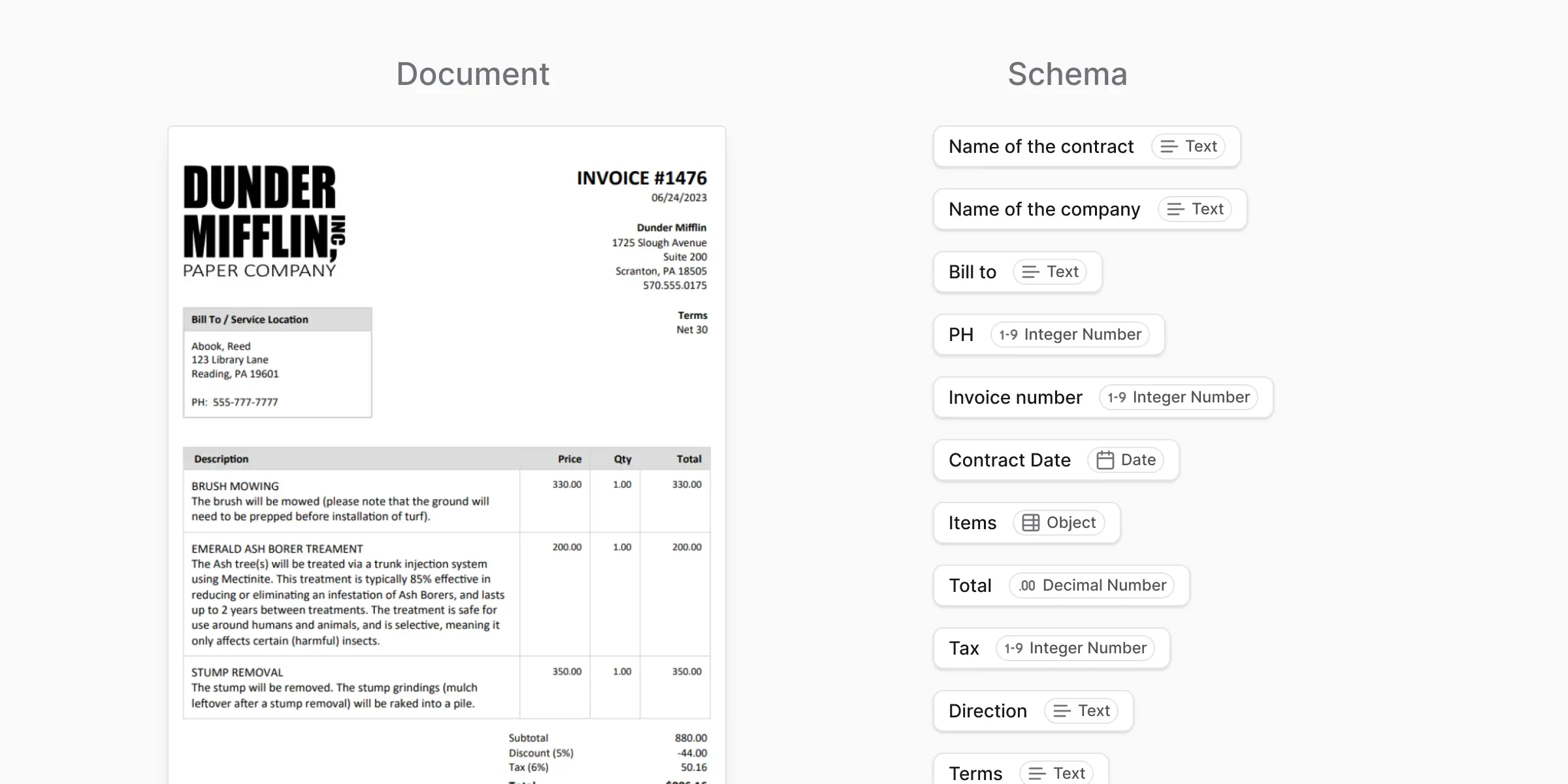
A **schema** is your extraction template — the list of fields anyformat should look for in each document. It says:
* Which fields you want (the invoice number, the date, the total…)
* What type of value each one holds (text, a number, a date…)
For example, a schema for invoices might be: **invoice number** (text), **issue date** (date), and **total amount** (a decimal number). Give anyformat that schema, and every invoice you process comes back filled in with those three fields.
A schema doesn't read documents by itself — it describes the **result** you want. The [workflow](/concepts/workflows) does the reading and the AI does the pulling-out; the schema tells them what to aim for.
 ***
## When you use schemas
You use a schema when:
* You want consistent output across many documents
* You care about structure, not just raw text
* You plan to verify or improve results over time
Most [workflows](/concepts/workflows) are built around a single schema.
***
## What a schema is not
A schema is just the *what* — the list of fields you want back. It is **not** the *how*: it doesn't tell anyformat how to read the document or where on the page to look. anyformat handles that for you. You only describe what the finished result should look like.
***
## What's next?
Define individual pieces of information within a schema
Write plain-English guidance for better accuracy
***
## When you use schemas
You use a schema when:
* You want consistent output across many documents
* You care about structure, not just raw text
* You plan to verify or improve results over time
Most [workflows](/concepts/workflows) are built around a single schema.
***
## What a schema is not
A schema is just the *what* — the list of fields you want back. It is **not** the *how*: it doesn't tell anyformat how to read the document or where on the page to look. anyformat handles that for you. You only describe what the finished result should look like.
***
## What's next?
Define individual pieces of information within a schema
Write plain-English guidance for better accuracy