> ## Documentation Index
> Fetch the complete documentation index at: https://docs.anyformat.ai/llms.txt
> Use this file to discover all available pages before exploring further.
# Fields
> What a field is and the three properties every field has.
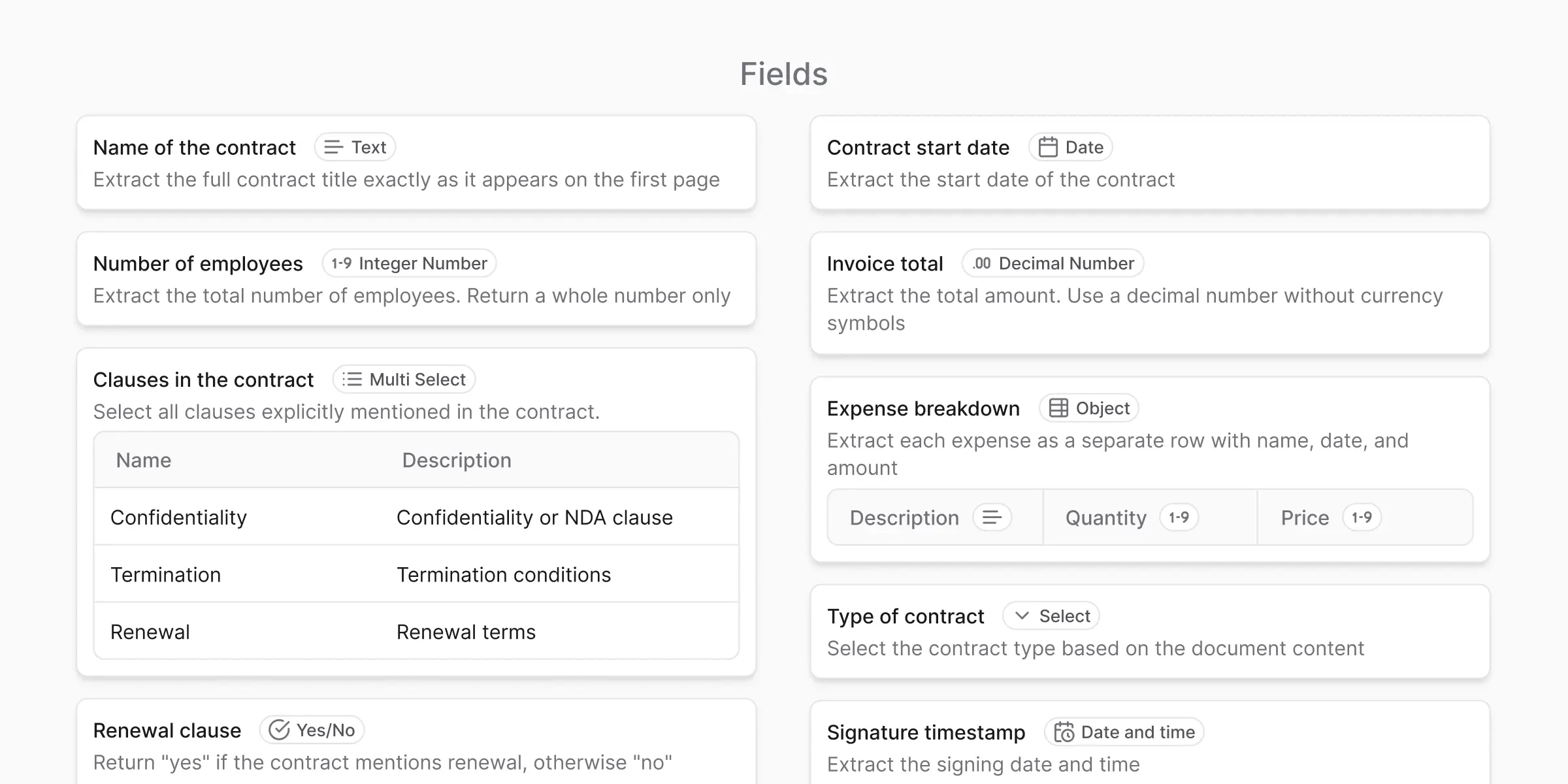
A **field** represents one piece of information inside a [schema](/concepts/schemas).
Examples:
* Invoice number
* Issue date
* Total amount
* Vendor name
Fields are the most important part of data quality. Clear fields lead to better results and less review.
 ***
## The three field properties
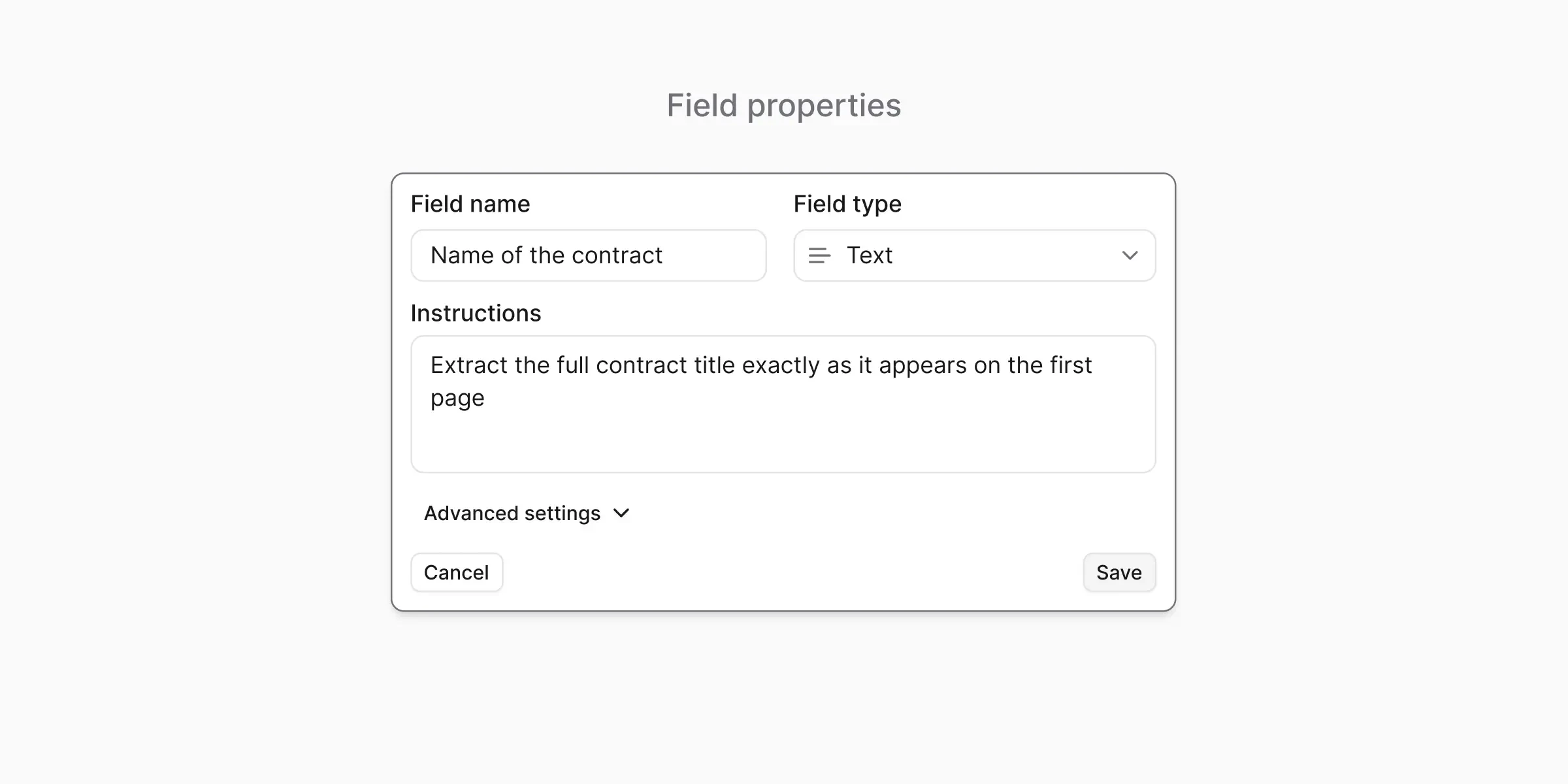
Every field has at least three properties.
A human-readable label that still makes sense outside anyformat.
Examples: `invoice_number`, `issue_date`, `total_amount`.
Use snake\_case so the name is safe to use as a JSON key or column header.
Tells anyformat what kind of value to expect (text, date, number, etc.).
The type improves consistency, validation, and output quality. See [Field types](/concepts/field-types) for the full list.
Plain-English guidance for how to extract the value.
Example: "Extract the final total including taxes. Ignore subtotals."
See [Instructions](/concepts/instructions) for how to write good ones.
***
## The three field properties
Every field has at least three properties.
A human-readable label that still makes sense outside anyformat.
Examples: `invoice_number`, `issue_date`, `total_amount`.
Use snake\_case so the name is safe to use as a JSON key or column header.
Tells anyformat what kind of value to expect (text, date, number, etc.).
The type improves consistency, validation, and output quality. See [Field types](/concepts/field-types) for the full list.
Plain-English guidance for how to extract the value.
Example: "Extract the final total including taxes. Ignore subtotals."
See [Instructions](/concepts/instructions) for how to write good ones.
 ***
## Field source — extraction vs. smart lookup
Every field also has a **source** that tells anyformat where its value comes from:
* **Extraction** (default) — the value is read directly from the document.
* **Smart lookup** — the value is resolved by matching the document against a **reference file** you attach (a CSV/catalog), instead of being read off the page. For example, extract a free-text `vendor_name` from the document, then smart-lookup the canonical `vendor_id` from your vendor catalog.
A smart-lookup field lives in the same schema as your extraction fields — you just mark it as a lookup field and attach the reference file to the extract step. See [Create Workflow](/api-reference/workflows/create) for the API shape.
***
## What's next?
The full list of types — text, date, number, object, enum, multi-select
Write effective extraction instructions
***
## Field source — extraction vs. smart lookup
Every field also has a **source** that tells anyformat where its value comes from:
* **Extraction** (default) — the value is read directly from the document.
* **Smart lookup** — the value is resolved by matching the document against a **reference file** you attach (a CSV/catalog), instead of being read off the page. For example, extract a free-text `vendor_name` from the document, then smart-lookup the canonical `vendor_id` from your vendor catalog.
A smart-lookup field lives in the same schema as your extraction fields — you just mark it as a lookup field and attach the reference file to the extract step. See [Create Workflow](/api-reference/workflows/create) for the API shape.
***
## What's next?
The full list of types — text, date, number, object, enum, multi-select
Write effective extraction instructions