> ## Documentation Index
> Fetch the complete documentation index at: https://docs.anyformat.ai/llms.txt
> Use this file to discover all available pages before exploring further.
# Field types
> Canonical reference for every field type — UI name, API name, example, and when to use it.
The type tells anyformat what kind of value to expect, and shapes how it's validated and stored.
This page is the single source of truth for field types — it lists every type, its name in the UI and in the [API](/api-reference/introduction), and how to use it well.
***
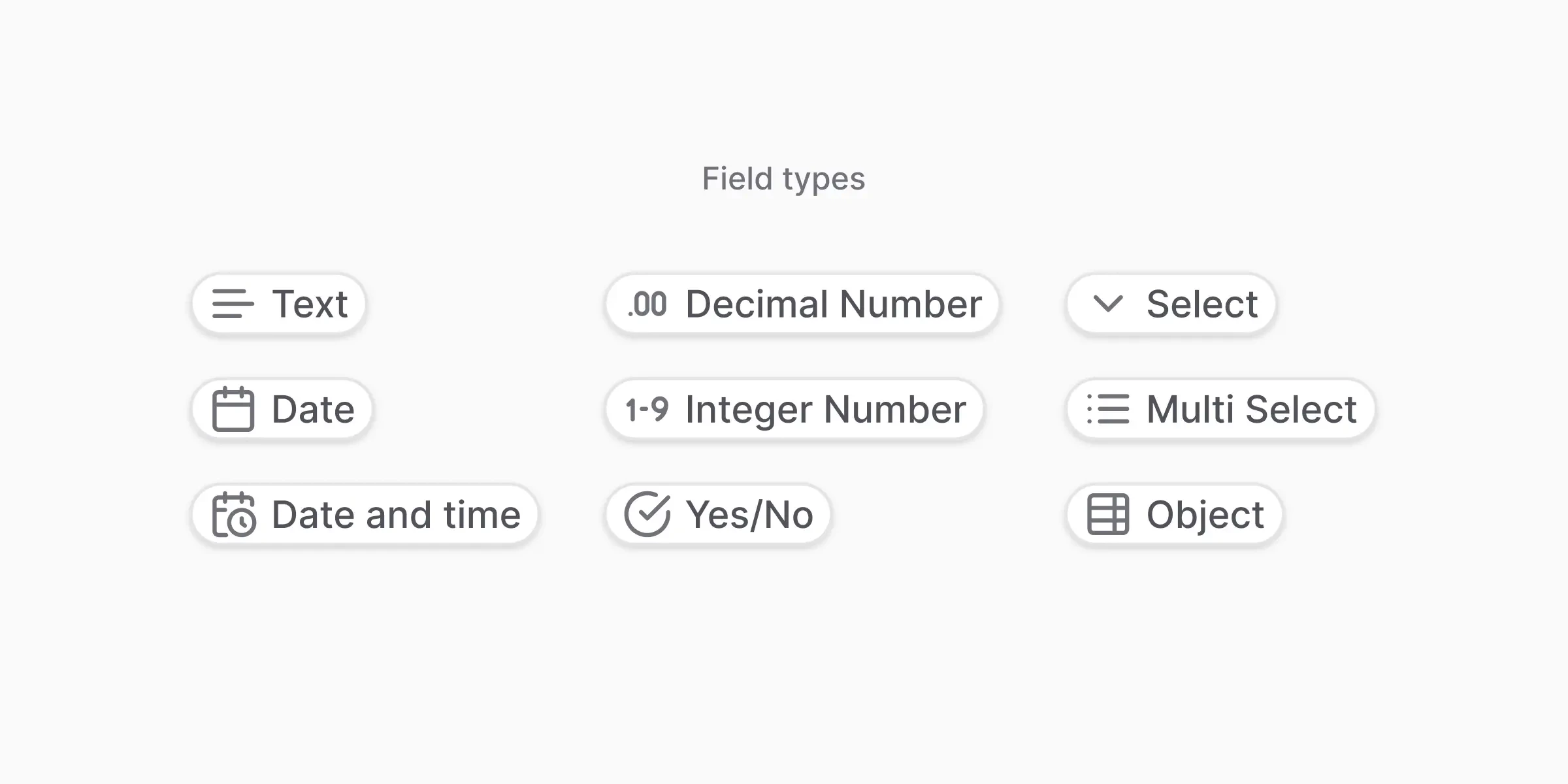
## All field types at a glance
| UI name | API `data_type` | Example value |
| ----------------- | --------------- | --------------------------------------- |
| Text | `string` | `"INV-001"` |
| Decimal number | `float` | `1250.99` |
| Integer number | `integer` | `42` |
| Date | `date` | `"2024-03-15"` |
| Date & time | `datetime` | `"2024-03-15T10:30:00Z"` |
| Yes / No | `boolean` | `true` |
| Select | `enum` | One of a predefined list |
| Multiselect | `multi_select` | A list of values from a predefined list |
| Object (Subtable) | `object` | Repeating structured rows |
There is no separate `list` data\_type. Use **Multiselect** (`multi_select`) for a list of values from a fixed set of options, and **Object** (`object`) for a list of structured rows (a subtable). For a free-form list of strings or numbers, model it as an Object with a single nested field.
### Not sure which to pick?
A quick guide:
* **Is it a number with decimals, like a price or percentage?** → Decimal number (`float`)
* **Is it a whole number, like a count or quantity?** → Integer number (`integer`)
* **Is it a date without a time?** → Date
* **Is it a yes/no answer?** → Yes / No (`boolean`)
* **Does it have to be one value from a fixed list of options?** → Select (`enum`)
* **Could it be several values from that list?** → Multiselect (`multi_select`)
* **Is it a repeating table, like invoice line items?** → Object (Subtable) (`object`)
* **Anything else (names, IDs, addresses, free text)?** → Text (`string`)
Picking the right type matters: anyformat returns the value in that shape (a real number you can sum, a real date you can sort), and it helps the AI know what to look for.
***
## Field definition
Every field requires at least:
```json theme={null}
{
"name": "field_name",
"description": "What this field represents",
"data_type": "string"
}
```
* **`name`** — Unique identifier (snake\_case).
* **`description`** — Clear explanation of what to extract. Used by the AI as guidance.
* **`data_type`** — One of the types listed above.
Complex types (`object`, `enum`, `multi_select`) also take extra properties documented below.
***
## Simple types
**Best for:** Values that vary widely (company names, addresses).
**Watch out for:** Don't use if values are from a known list — use **Select** instead.
**Best for:** Calendar dates when time isn't relevant. Returned as `YYYY-MM-DD`.
**Watch out for:** If time appears in the document, prefer **Date & time**.
**Best for:** Precise timestamps when documents include a time, not just a date. Returned in a standard format like `2024-03-15T10:30:00Z`.
**Watch out for:** Timezones and unusual date formats can be ambiguous — add an instruction if the document's format is unusual.
**Best for:** Money, percentages, measurements.
**Watch out for:** Avoid if values should be whole numbers.
**Best for:** Counts, quantities, item numbers.
**Watch out for:** Not suitable for currency.
**Best for:** Clear true/false questions (Is paid? Is signed?).
**Watch out for:** Avoid vague cues like "maybe" or "often" — make instructions explicit.
***
## Select (`enum`)
Use `enum` when the extracted value must be **one** of a predefined set of options. The field requires an `enum_options` array.
```json theme={null}
{
"name": "payment_status",
"description": "The current payment status of the invoice",
"data_type": "enum",
"enum_options": [
{"name": "pending", "description": "Payment has not been received"},
{"name": "paid", "description": "Payment has been received in full"},
{"name": "partial", "description": "Partial payment has been received"},
{"name": "overdue", "description": "Payment is past the due date"}
]
}
```
If no option matches the document, the field value is `null`.
**Why use Select:**
* Enforces consistency
* Avoids spelling variations
* Makes analytics and filtering reliable
**Best practices:**
* Keep options short and unambiguous
* Provide clear descriptions for each option
* Avoid overlapping meanings
* Prefer Select over Text when values repeat
***
## Multiselect (`multi_select`)
Same shape as `enum`, but the field can return **multiple** matched options as an array.
```json theme={null}
{
"name": "document_tags",
"description": "Categories that apply to this document",
"data_type": "multi_select",
"enum_options": [
{"name": "urgent", "description": "Requires immediate attention"},
{"name": "confidential", "description": "Contains sensitive information"},
{"name": "reviewed", "description": "Has been reviewed by a team member"},
{"name": "pending_approval", "description": "Awaiting approval from management"}
]
}
```
Returns an array of strings:
```json theme={null}
{ "document_tags": ["urgent", "confidential"] }
```
### Select vs. Multiselect
| Feature | Select (`enum`) | Multiselect (`multi_select`) |
| ----------- | -------------------------- | ---------------------------- |
| Selection | Single value | Multiple values |
| Return type | `string` or `null` | `array` of strings |
| Use case | Mutually exclusive options | Non-exclusive categories |
***
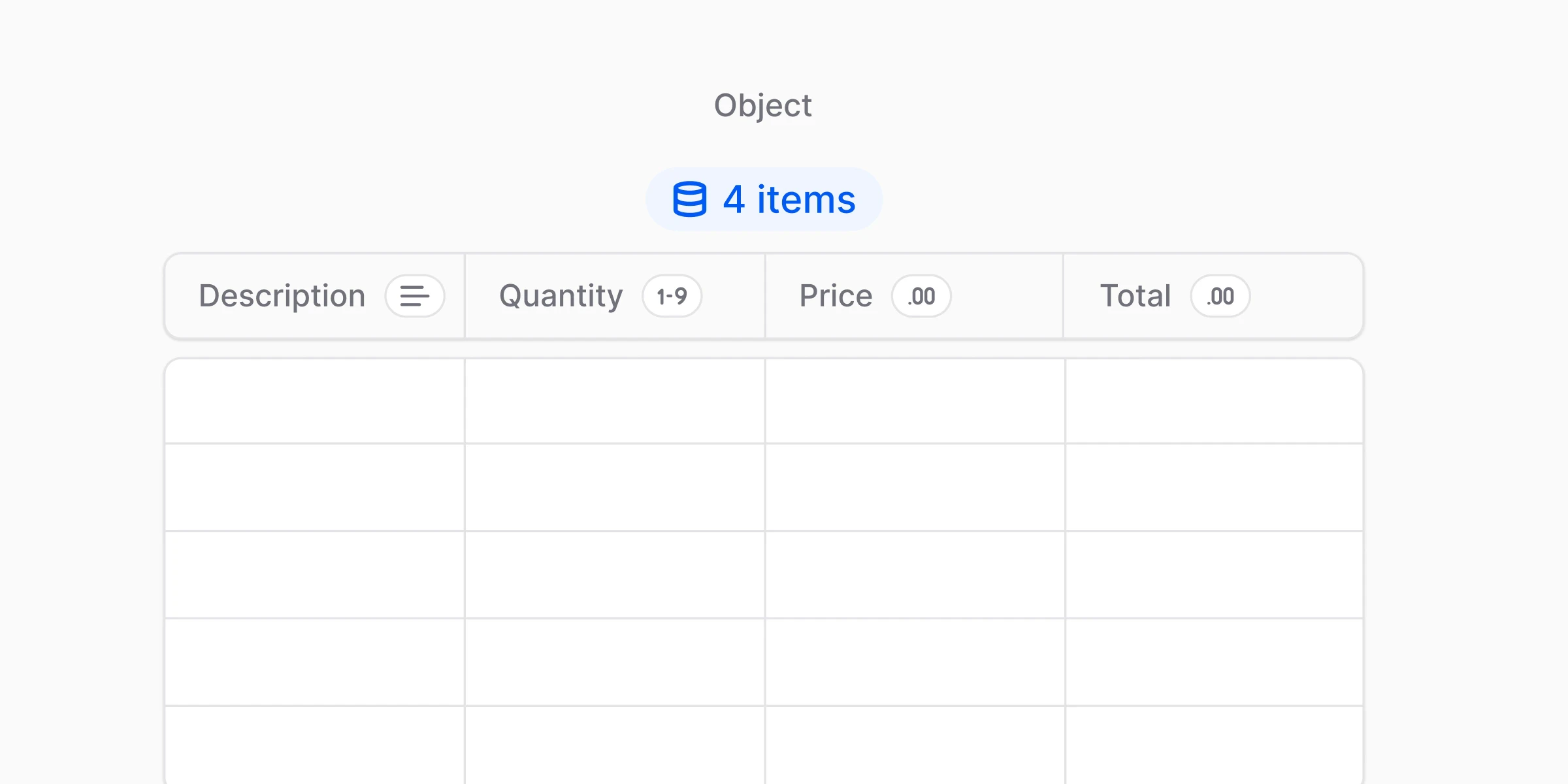
## Object / Subtable (`object`)
Use `object` to extract a structured group of properties. Object fields require a `nested_fields` array.
Only **one level of nesting** is supported: the children of an `object` field must be non-object types (`string`, `integer`, `float`, `date`, `datetime`, `boolean`, `enum`, `multi_select`). An `object` field cannot contain another `object` field as a child.
### Single nested object
```json theme={null}
{
"name": "shipping_address",
"description": "Customer shipping address details",
"data_type": "object",
"nested_fields": [
{"name": "street", "data_type": "string", "description": "Street address including number"},
{"name": "city", "data_type": "string", "description": "City name"},
{"name": "postal_code", "data_type": "string", "description": "ZIP or postal code"},
{"name": "country", "data_type": "string", "description": "Country name"}
]
}
```
### Repeating rows (Subtable)
Object fields also capture **repeating tabular data** — invoice line items, transaction rows, anything that's a list of "things with the same structure".
```
line_items (object)
├── description (string)
├── quantity (integer)
├── unit_price (float)
└── line_total (float)
```
Each row in the document becomes one object in the resulting array.
**Use Object when:**
* You see the *same set of fields repeating*
* The document contains a list/table where each row is one "item"
* You need a structured value per row (not a blob of text)
**Best practices:**
* Keep subtable fields minimal at first (3–5 columns)
* Use clear row-level instructions: "Extract one row per item. Ignore headers and totals."
* Add shared fields like `currency` at the top level, not inside each row
* Start with the most reliable columns first (description + amount), then expand
**Common mistakes:**
* Using Object for a **single nested group** (like a "vendor address"). If it's not repeating, it's fine — but consider whether top-level fields would be simpler.
* Making the subtable too wide too early (10+ columns increases ambiguity).
* Nesting an Object **inside another Object**. Only one level of nesting is supported — object children must be non-object fields.
***
## Complete example
A workflow definition that uses several field types together:
```json theme={null}
{
"name": "Invoice Processing",
"description": "Extract invoice data with line items",
"fields": [
{"name": "invoice_number", "description": "Unique invoice identifier", "data_type": "string"},
{"name": "issue_date", "description": "Date when the invoice was issued", "data_type": "date"},
{"name": "total_amount", "description": "Total invoice amount including tax", "data_type": "float"},
{"name": "is_paid", "description": "Whether the invoice has been paid", "data_type": "boolean"},
{
"name": "payment_status",
"description": "Current payment status",
"data_type": "enum",
"enum_options": [
{"name": "pending", "description": "Awaiting payment"},
{"name": "paid", "description": "Fully paid"},
{"name": "overdue", "description": "Past due date"}
]
},
{
"name": "vendor",
"description": "Vendor information",
"data_type": "object",
"nested_fields": [
{"name": "name", "data_type": "string", "description": "Vendor company name"},
{"name": "address", "data_type": "string", "description": "Vendor address"}
]
}
]
}
```
***
## Tips for better results
1. **Be specific in descriptions.** "The invoice number, usually starting with INV-" beats "Invoice number".
2. **Use appropriate types.** `float` for amounts, `date` for dates — not `string`.
3. **Keep field names consistent.** snake\_case throughout.
4. **Describe location only when helpful.** "Total amount shown at the bottom right" can disambiguate, but the AI usually doesn't need it.
***
## What's next?
The three properties every field has
Write better extraction instructions