> ## Documentation Index
> Fetch the complete documentation index at: https://docs.anyformat.ai/llms.txt
> Use this file to discover all available pages before exploring further.
# AI Suggestions
> AI-generated recommendations that help you build schemas faster.
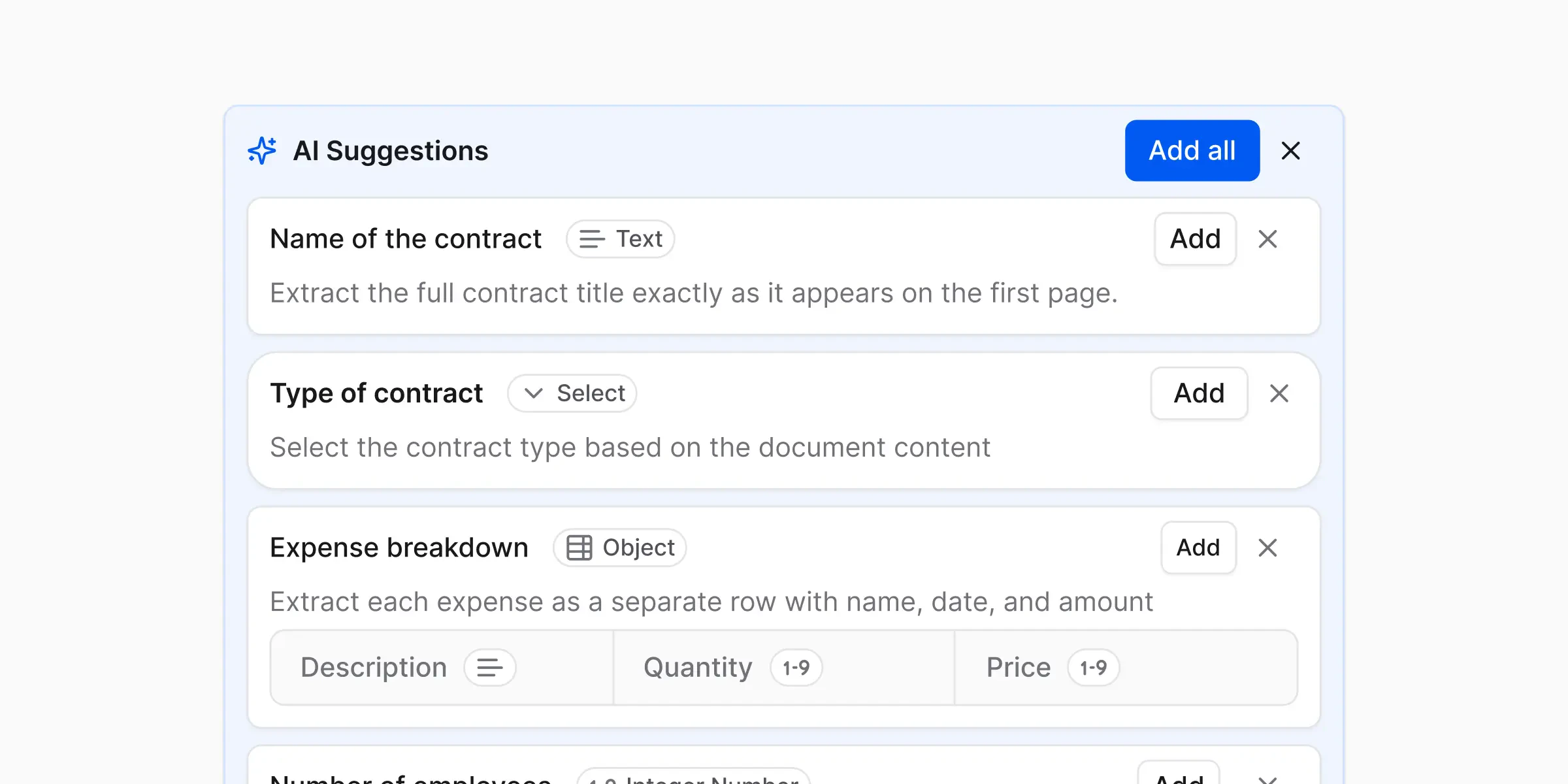
When you create a workflow, you describe what you want and (optionally) upload a sample document. **AI suggestions** are anyformat's first draft based on that — a starting set of fields it thinks you'll want, so you don't have to add them all from scratch.
For example, upload a resume and ask for "candidate contact info", and anyformat might suggest these fields:
* **Full name** (text)
* **Email** (text)
* **Phone** (text)
A suggestion can include the field name, its type, and a draft instruction. You then keep, edit, or delete each one.
 ***
## How to use them effectively
Think of AI suggestions as:
> A helpful starting point, not a final answer
* Exploring a new document type
* Creating a schema quickly
* You're not sure what fields you need yet
* Accuracy matters
* Data is business-critical
* You're scaling usage
You are always in control — suggestions are editable and optional.
**When reviewing a suggestion, check:**
* **Does the field name match what you actually want?** Rename anything that's vague or off.
* **Is the type right?** A total should be a Decimal number, not Text — see [Field types](/concepts/field-types).
* **Is anything missing?** Add fields the AI didn't think of.
* **Is anything extra?** Delete fields you don't need.
***
## What's next?
Build and run your first workflow
Learn about the structured results you can export
***
## How to use them effectively
Think of AI suggestions as:
> A helpful starting point, not a final answer
* Exploring a new document type
* Creating a schema quickly
* You're not sure what fields you need yet
* Accuracy matters
* Data is business-critical
* You're scaling usage
You are always in control — suggestions are editable and optional.
**When reviewing a suggestion, check:**
* **Does the field name match what you actually want?** Rename anything that's vague or off.
* **Is the type right?** A total should be a Decimal number, not Text — see [Field types](/concepts/field-types).
* **Is anything missing?** Add fields the AI didn't think of.
* **Is anything extra?** Delete fields you don't need.
***
## What's next?
Build and run your first workflow
Learn about the structured results you can export